Complete Visibility
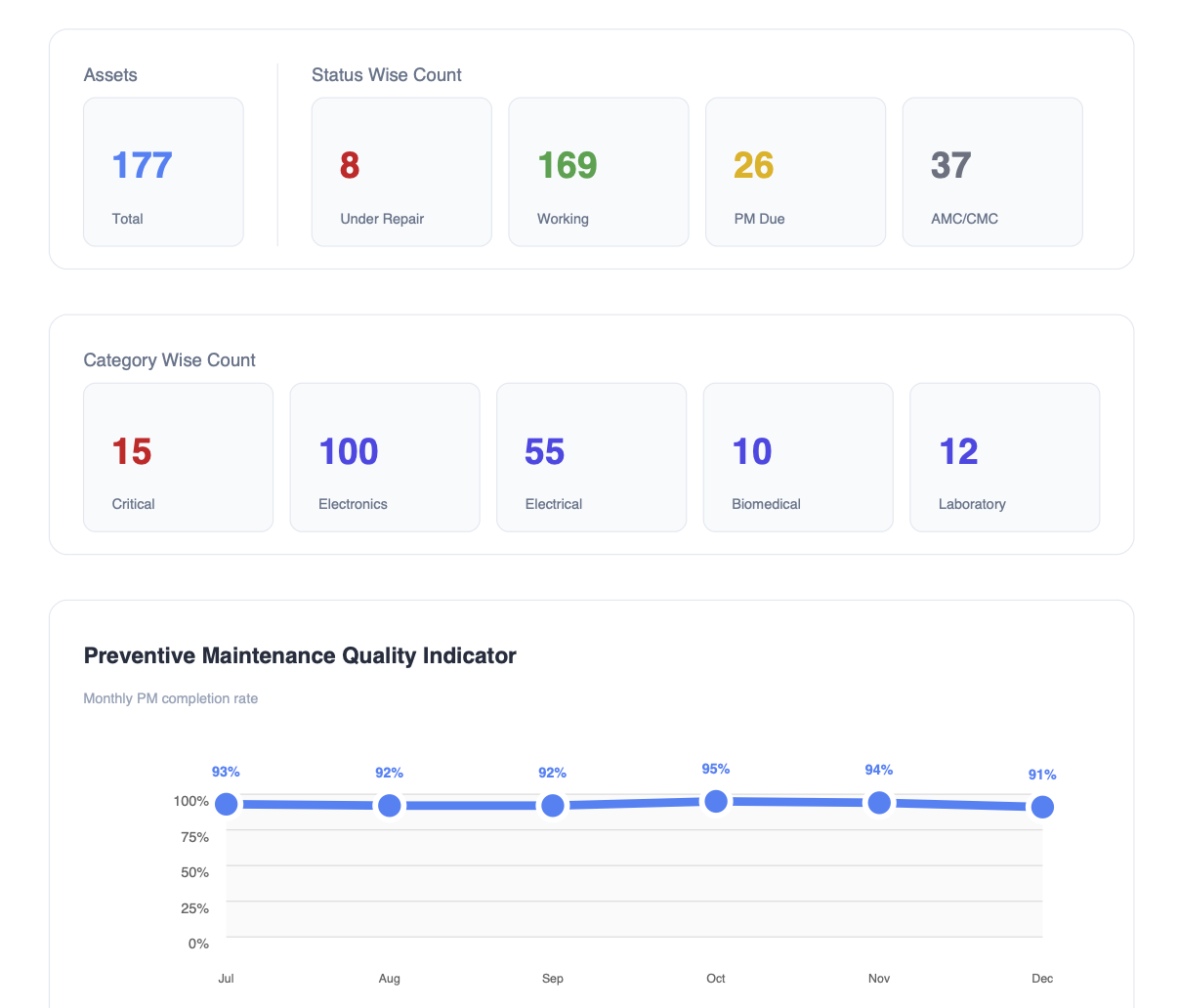
Every asset, every department, one dashboard. Track location, status, service history and cost of ownership without hunting through spreadsheets.
 EaseAsset
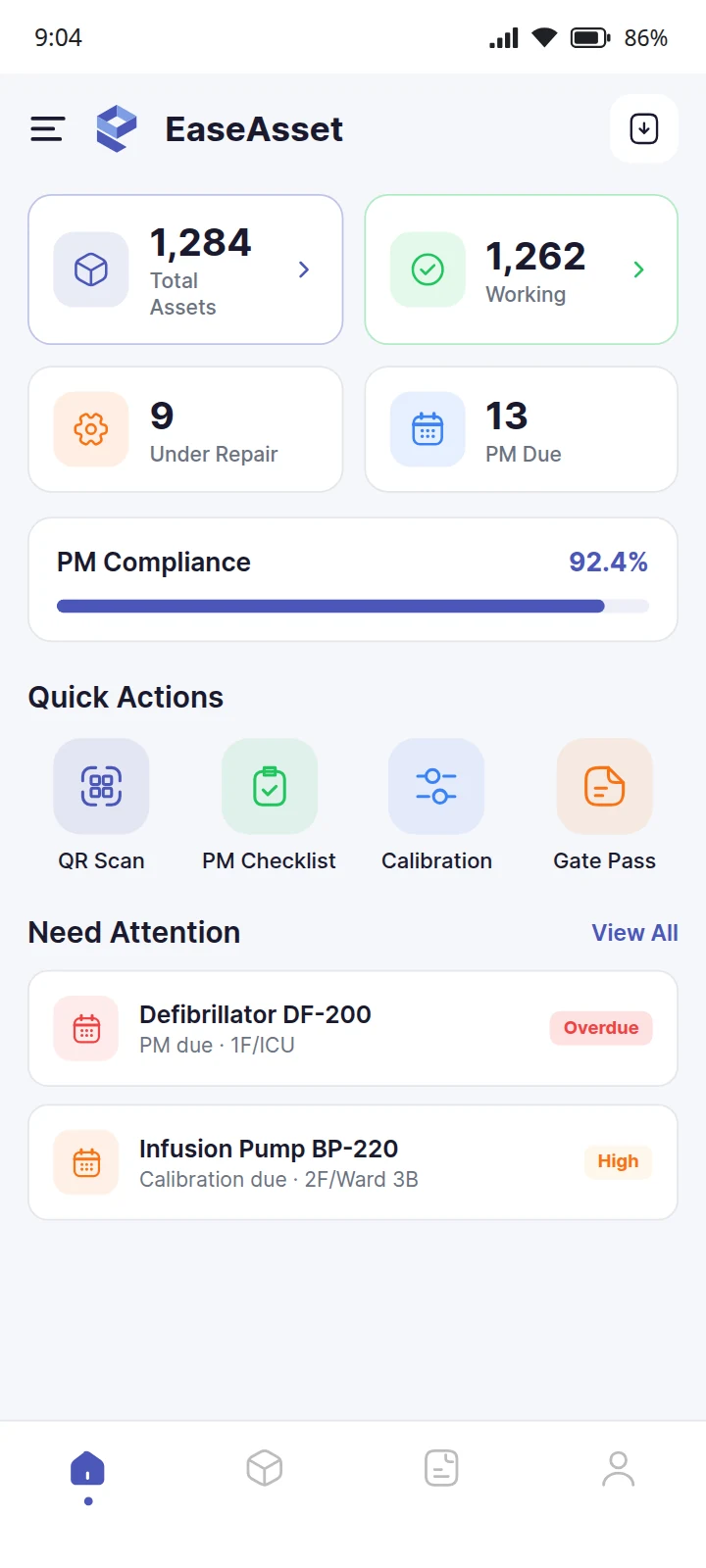
EaseAsset tracks biomedical and hospital equipment with QR codes — any service request raised in a tap, routed to the right team, recorded automatically. Preventive maintenance, e-waste compliance and NABH audit evidence stay current without manual registers.
EaseAsset tracks every hospital asset via QR code — equipment, biomedical devices, and infrastructure. Preventive maintenance, AMC/warranty alerts, e-waste compliance, and FMS audit evidence are generated automatically. No spreadsheets, no manual registers.
A register in a drawer cannot tell you where anything is.
One sticker. The whole history.
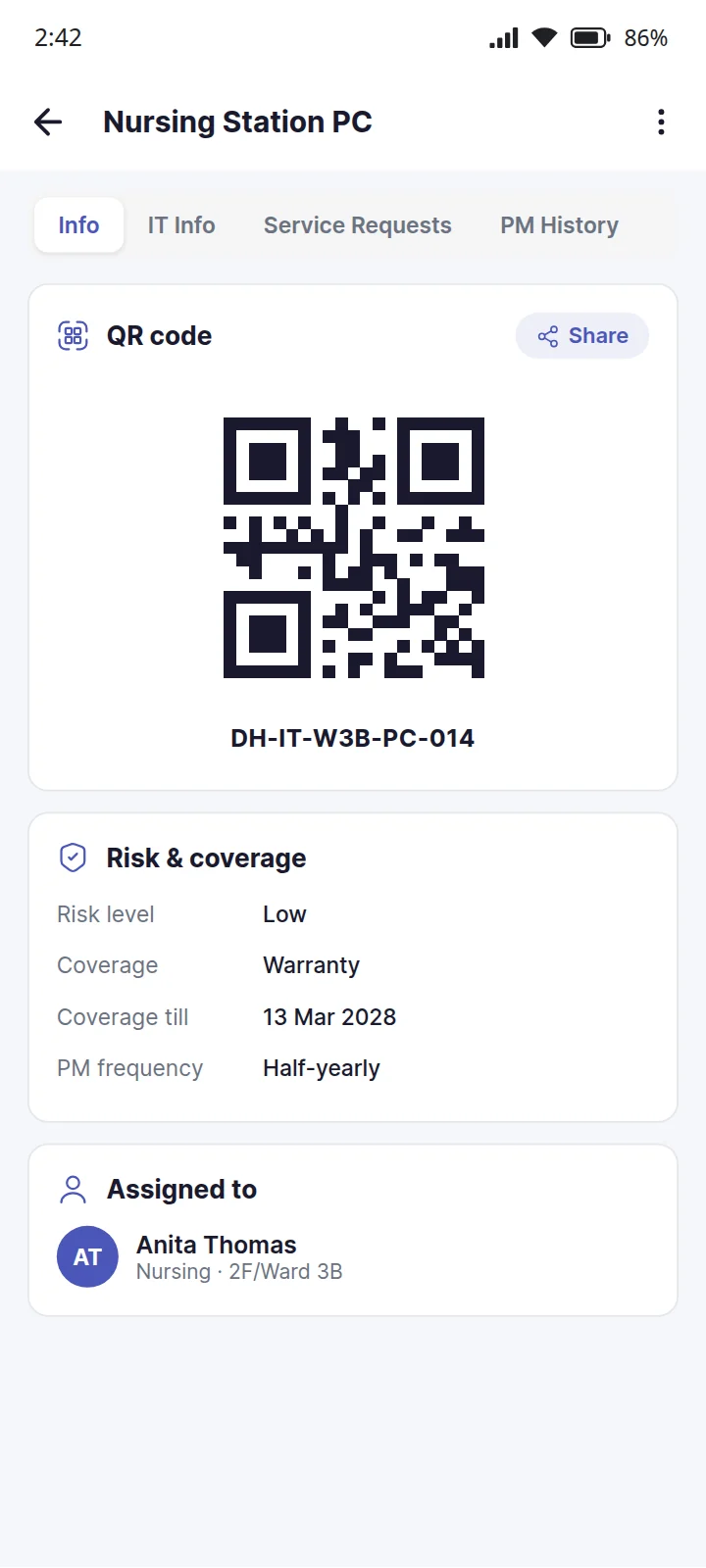
Scan the code on the machine and its service history, its maintenance, its last calibration and its owner are on the screen, before anyone has found the register.
Whatever broke, the request says which part.
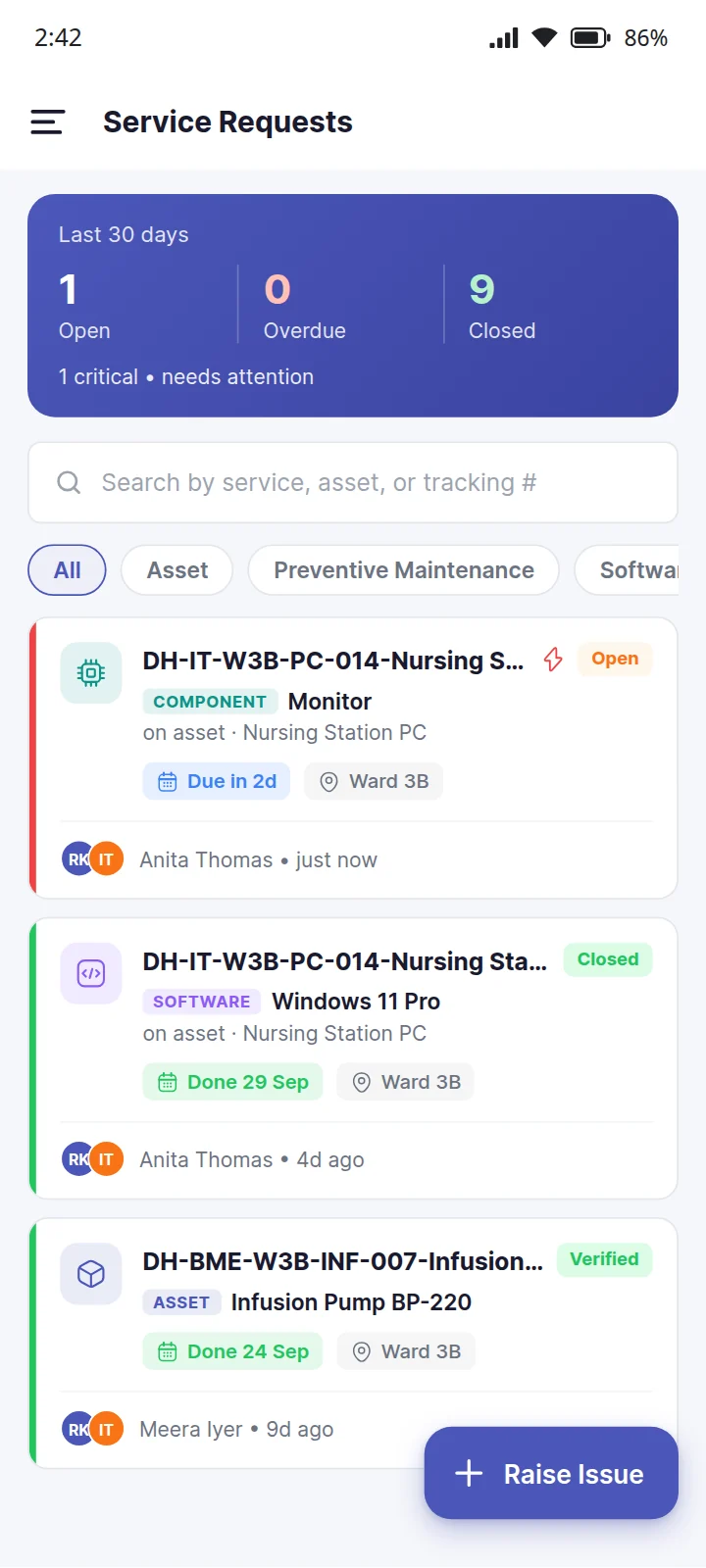
Raise it against the machine, one of its components or the software installed on it. The assignees are notified, and the request stays on the asset’s record from open to verified.
What is EaseAsset?
EaseAsset is hospital asset management software built for NABH and JCI compliance. It tracks biomedical and hospital equipment with QR codes, automates preventive maintenance schedules and reminders, monitors e-waste compliance against the 180-day rule, and generates audit-ready FMS reports — without manual registers or spreadsheets.
Every feature maps to a real operational pain — not a generic checklist.
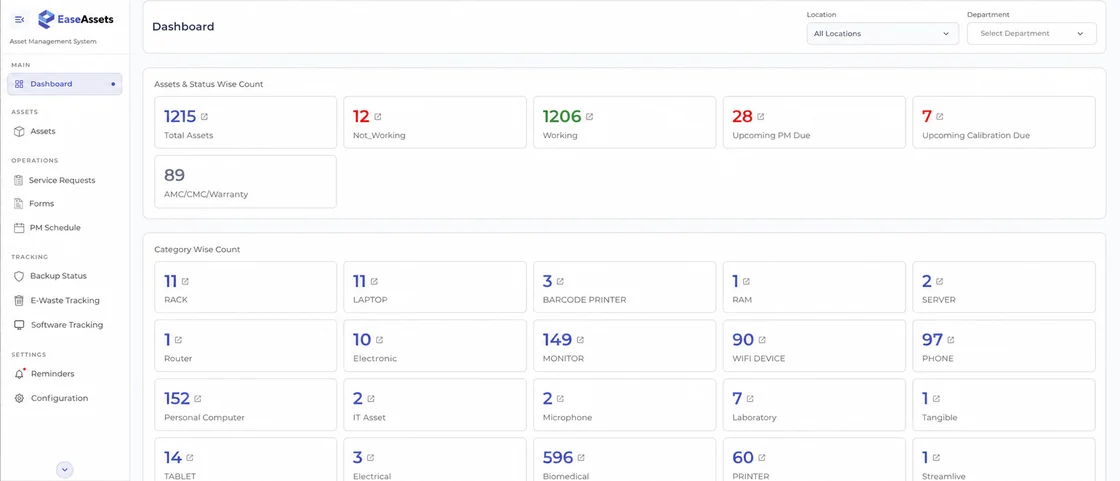
Every asset, every department, one dashboard. Track location, status, service history and cost of ownership without hunting through spreadsheets.
Maps directly to FMS requirements — PM scheduling, calibration tracking, equipment inventory and training documentation. Audit evidence organised automatically.
Schedule PM, get WhatsApp alerts before deadlines hit, and maintain full service history per asset — so equipment doesn't fail when patients need it.
Any service request raised by scanning a QR code — routed to the right team instantly, tracked to closure, recorded without manual logging.
WhatsApp and email notifications reach your biomedical team before issues become failures — maintenance due, warranty expiry, e-waste deadline approaching.
Generate NABH FMS reports in seconds — not hours of compiling spreadsheets. Every report timestamped, traceable, ready for assessment day.
Everything the field app tracks beyond the register itself: the breakdown raised at the machine, the certificate that closes out a disposal, and the gate passes, purchase requests, calibrations and PM checklists in between.
Scan the code on the machine and raise a request against the asset itself, one of its components, or the software installed on it — with a photo, a due date and a critical flag when it cannot wait.
Evidence: a dated request for every breakdown, signed by whoever raised it, with who closed it and when
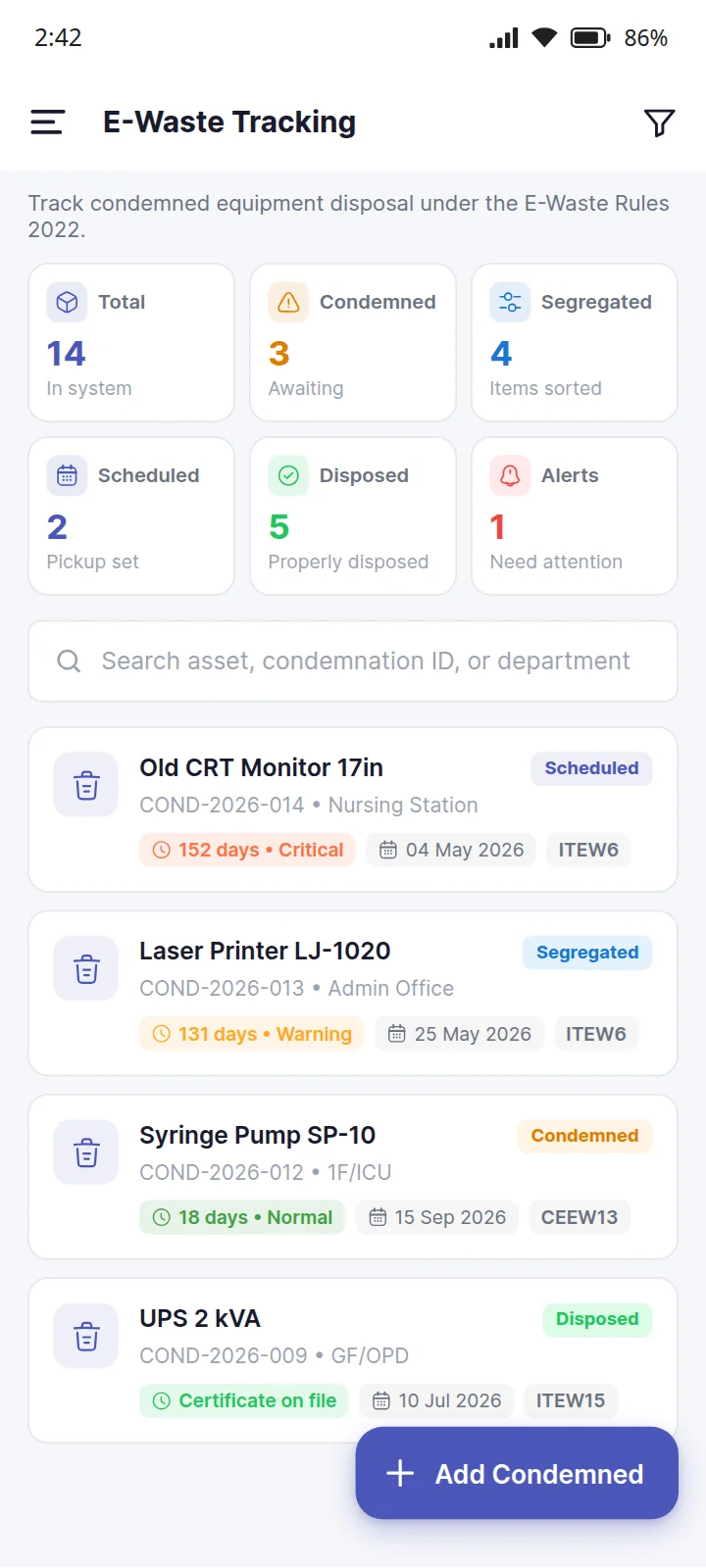
Condemned equipment followed from the day it is condemned to the day it is disposed of, under the E-Waste Rules 2022.
Evidence: a disposal record for every condemned item, ending in its certificate number
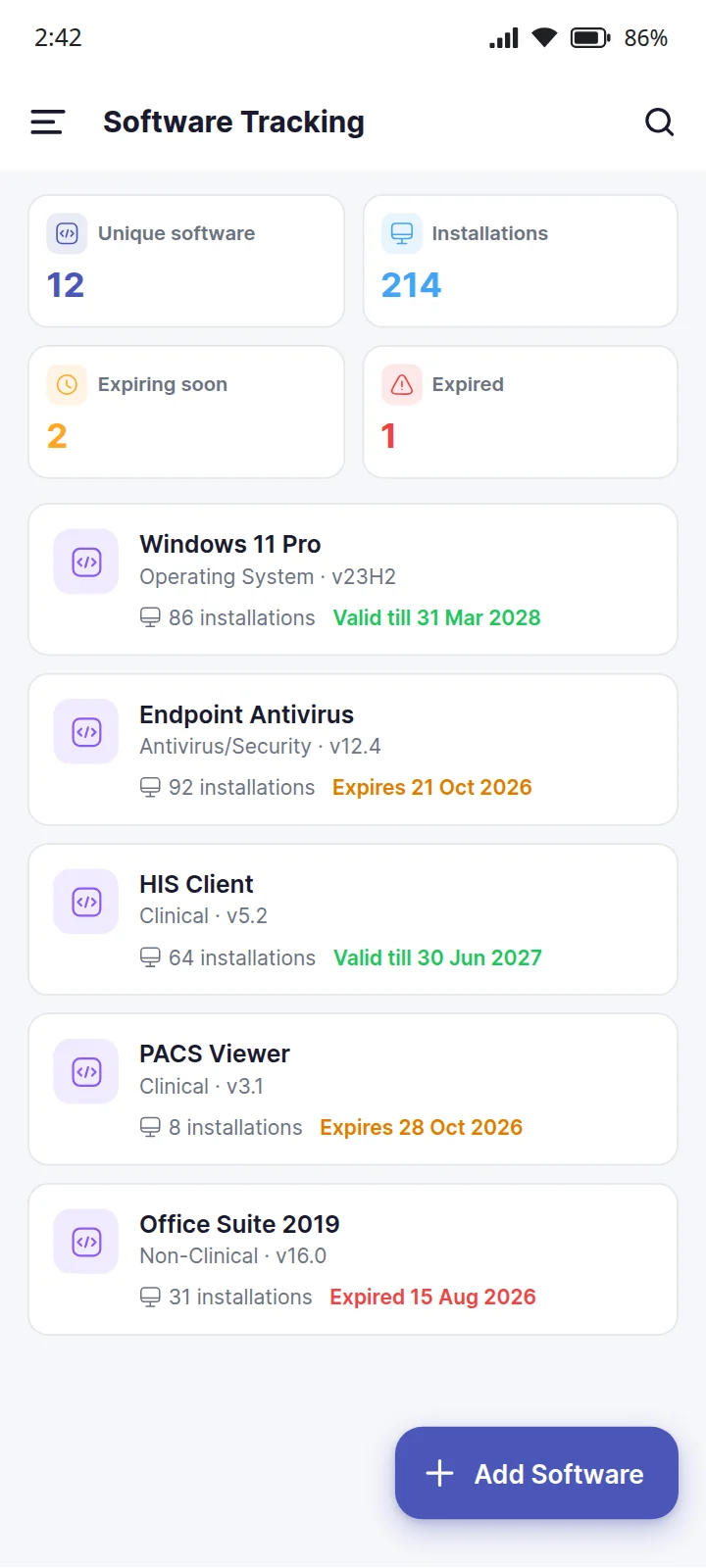
Every piece of software on the hospital's machines, the assets it is installed on, and when its licence runs out.
Evidence: one list of what is installed where, and which licences need renewing
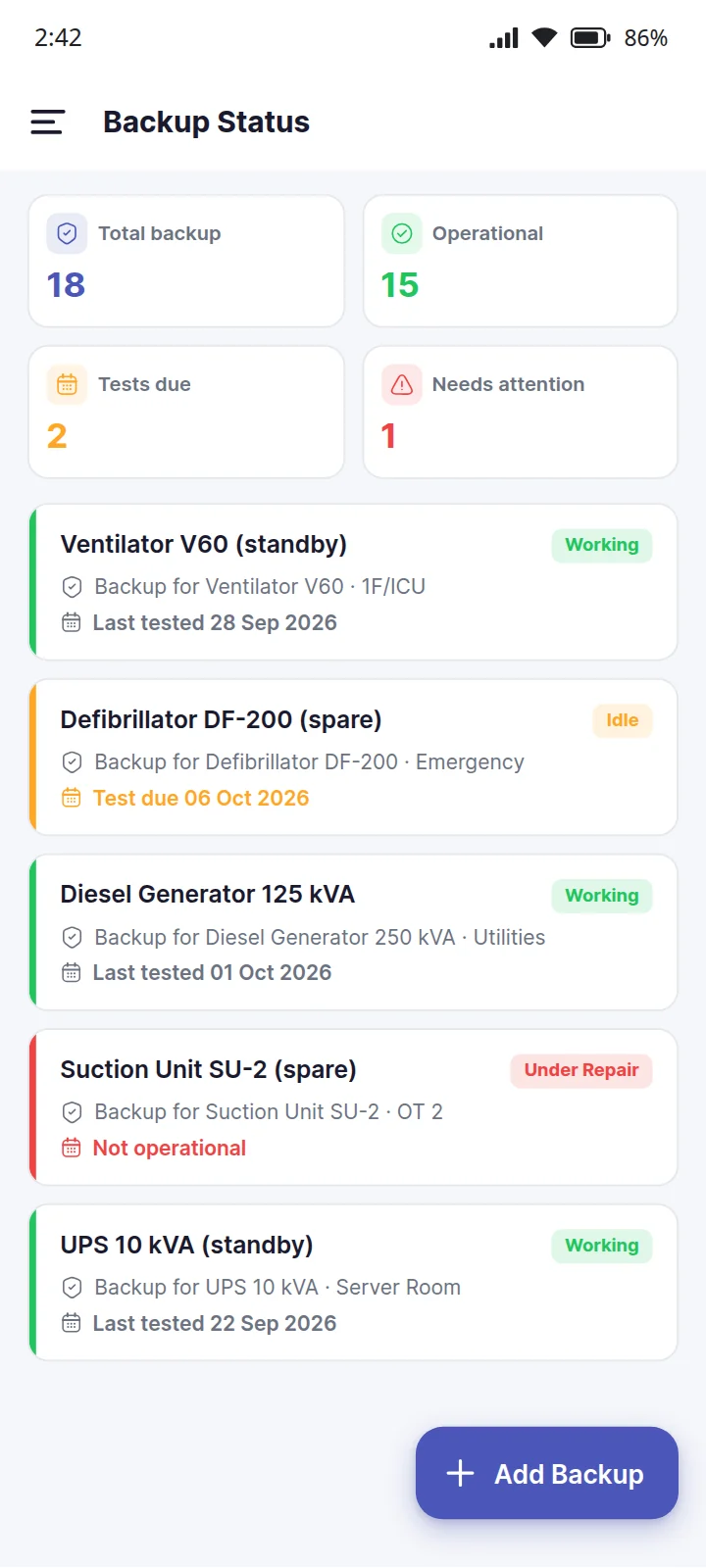
The standby equipment behind your critical machines — the spare ventilator, the second generator — and whether it is ready to take over.
Evidence: proof that a failover exists for each critical machine, and when it was last tested
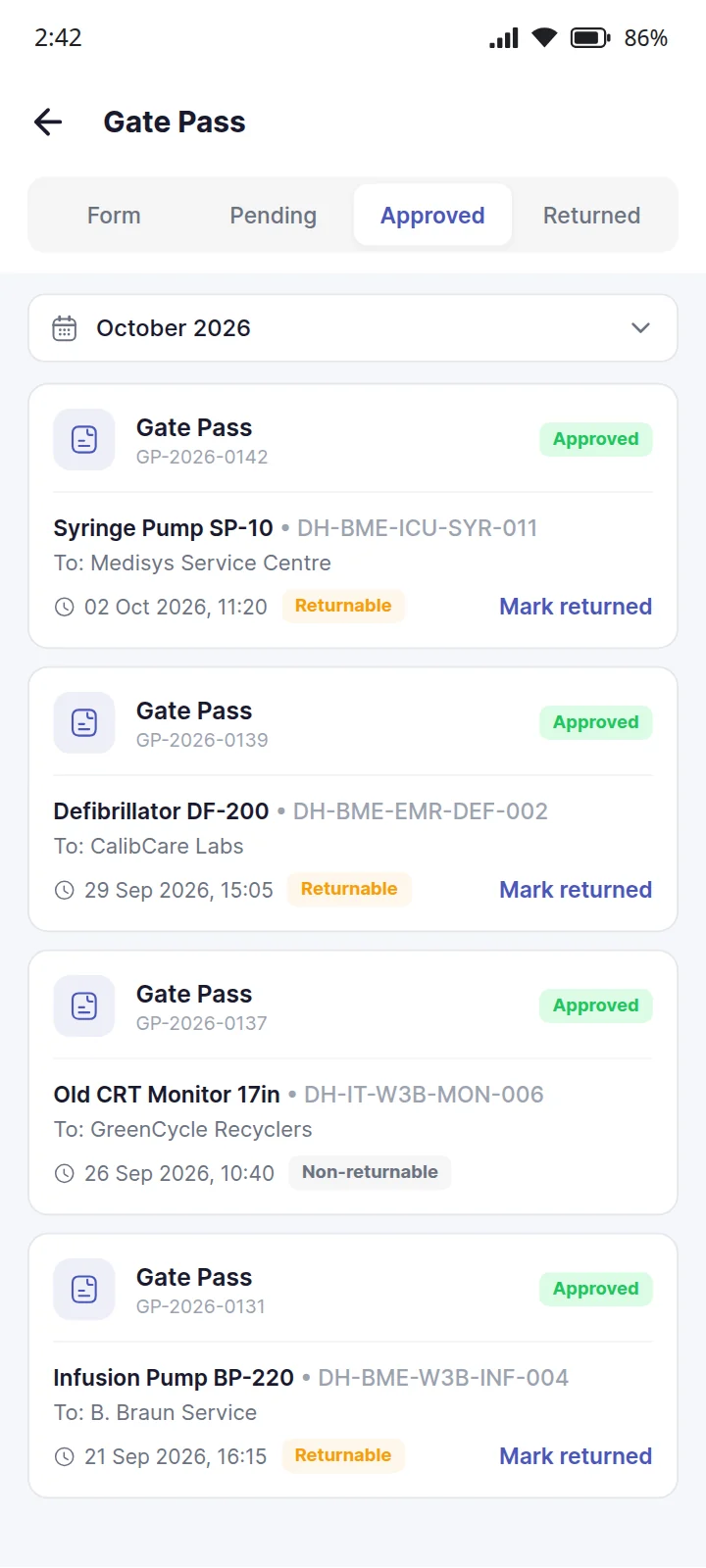
Every machine that leaves the building — for service, calibration or repair — goes out on a gate pass, and a returnable one is followed until it comes back.
Evidence: a signed record of every asset that left the building, and when it came back
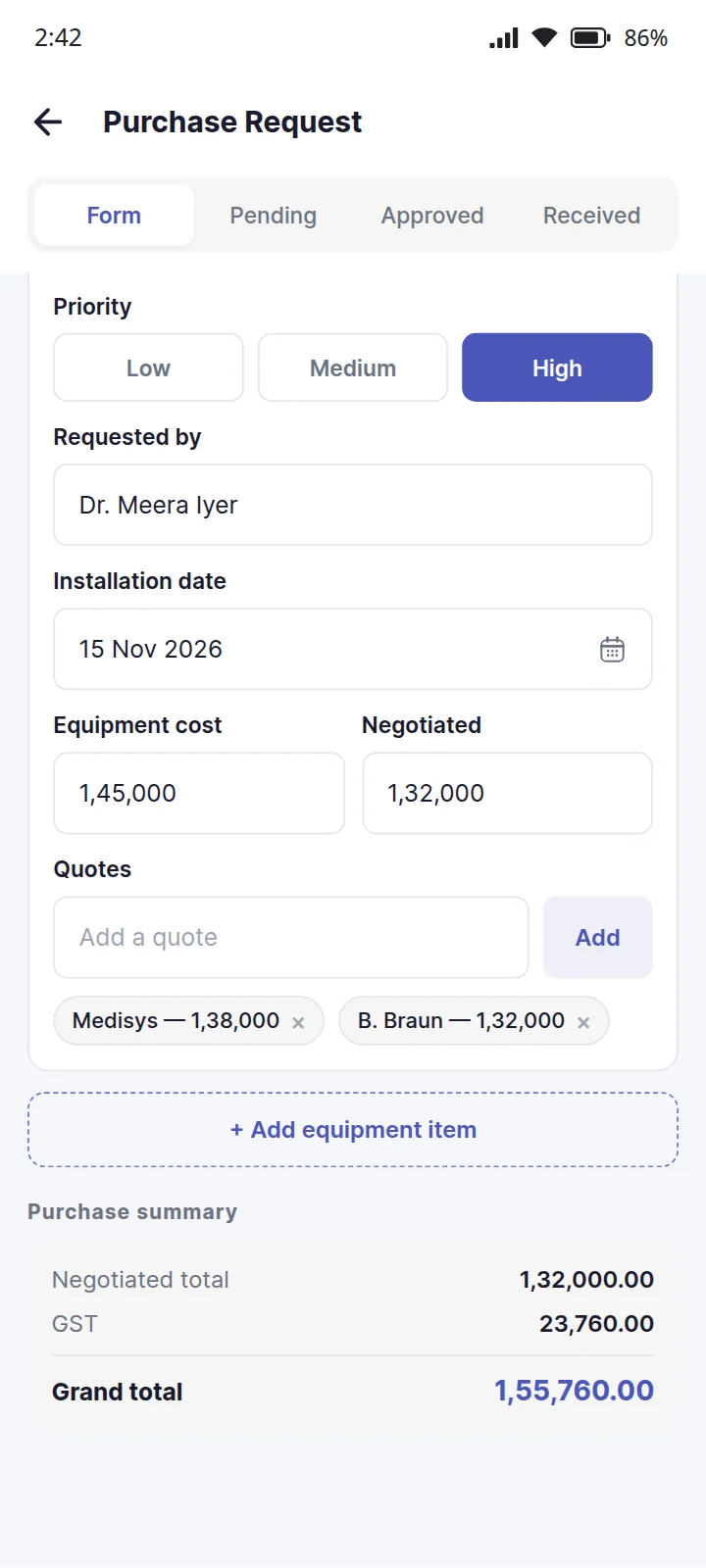
A request for new equipment, with the quotes behind it, costed and signed off before anything is ordered.
Evidence: the quotes, approvals and signatures behind every purchase
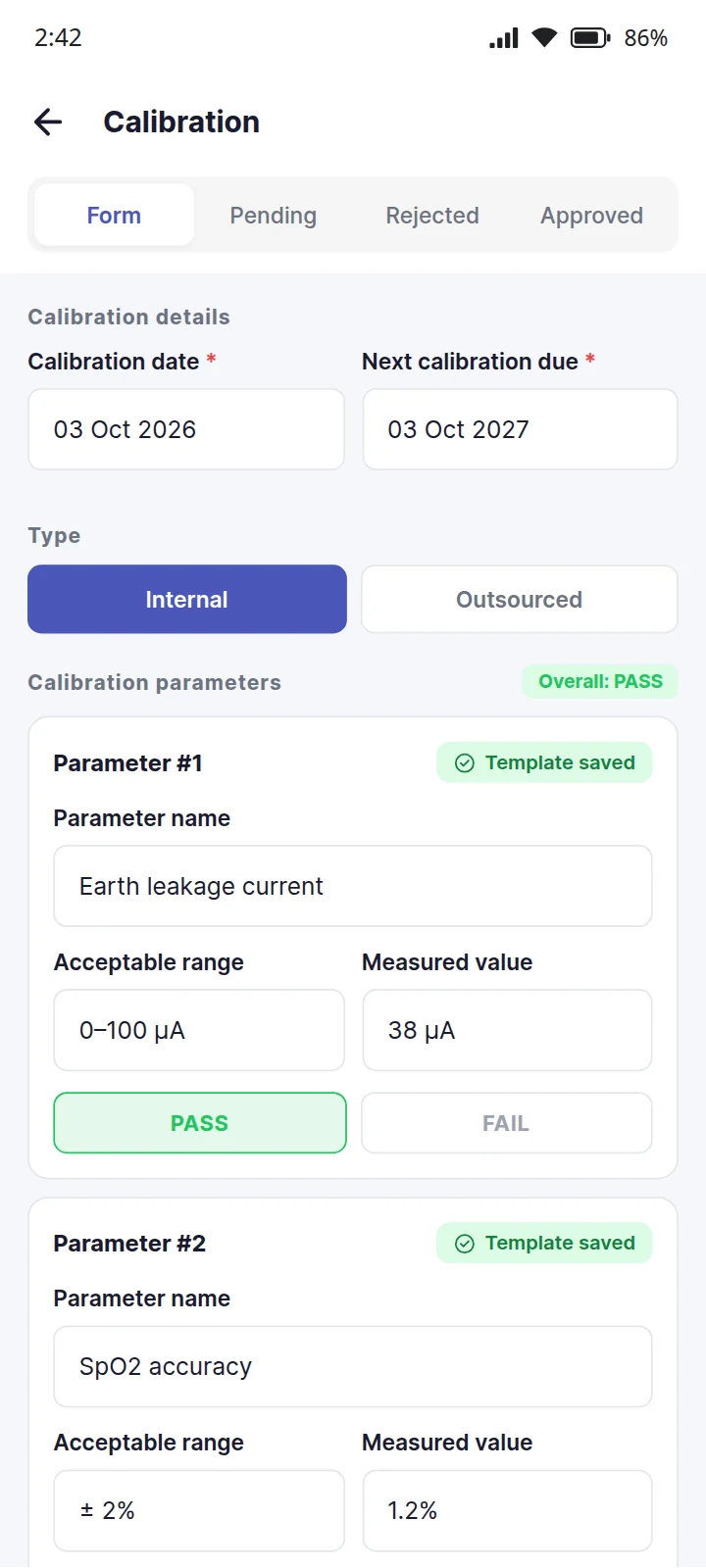
Calibration recorded against the asset itself — done in-house with each parameter measured, or by an outside agency with its report attached.
Evidence: a calibration record for every asset, with its readings, its certificate and the next due date
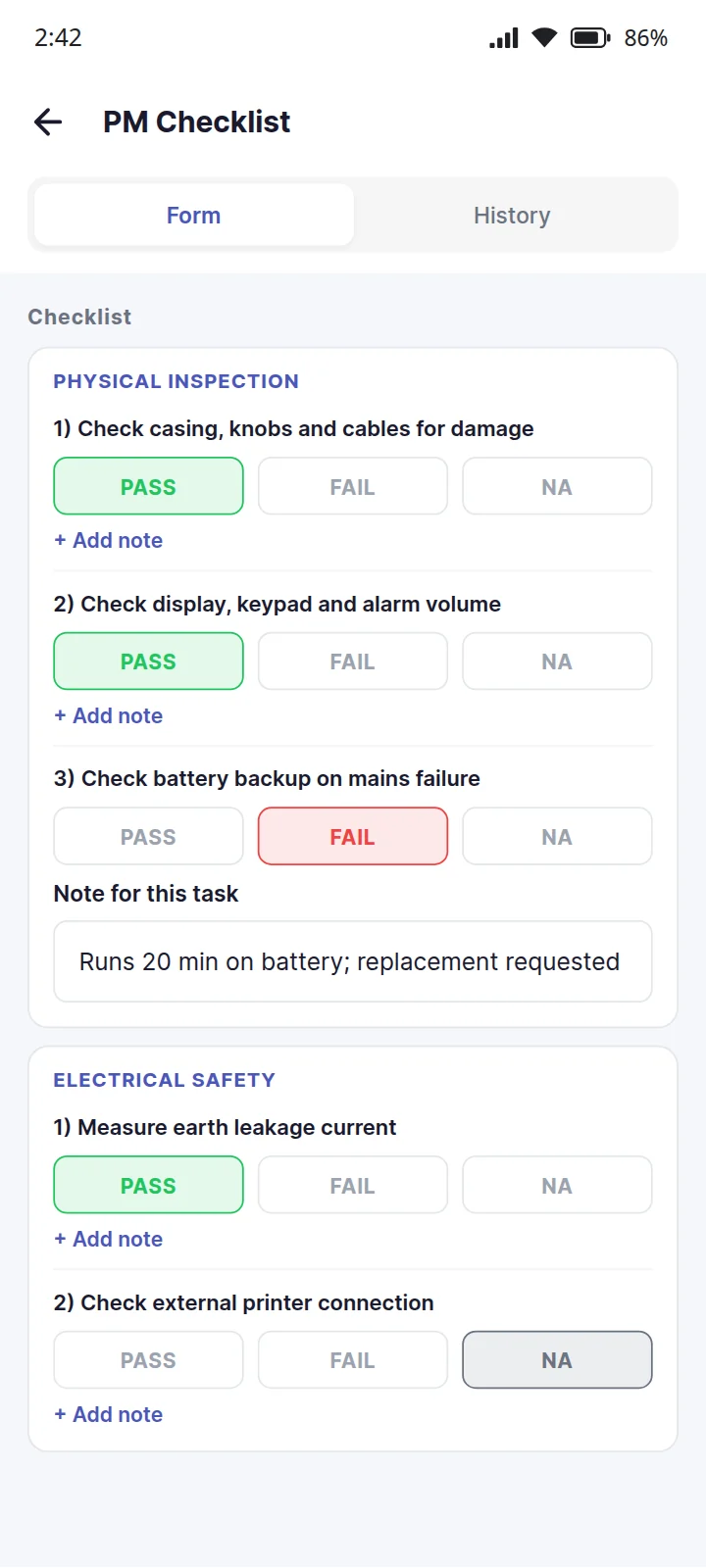
Preventive maintenance done against the asset's own checklist, task by task, on a phone at the machine.
Evidence: a PM record for every visit to every asset, with each task's result
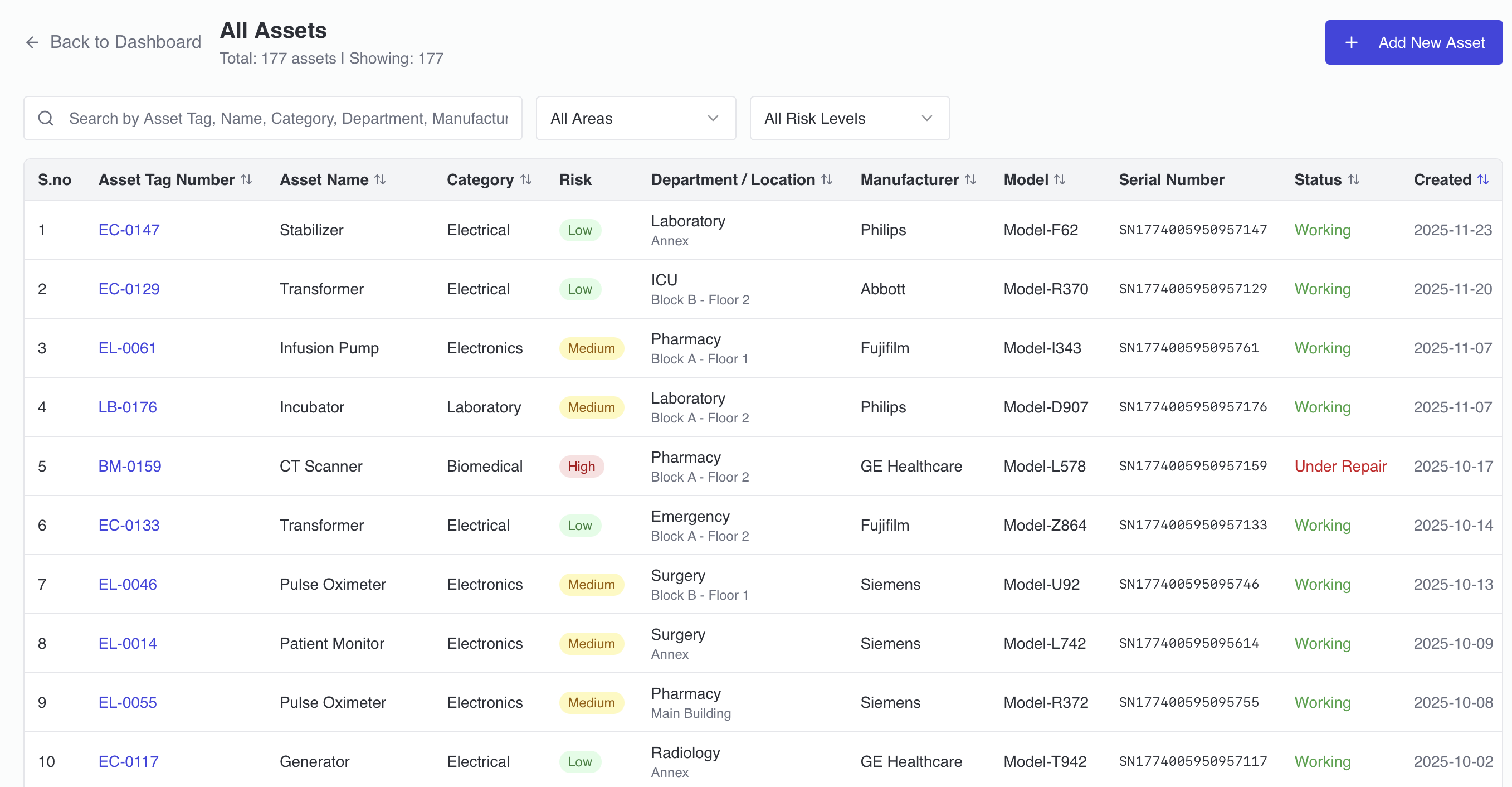
Stop hunting for equipment records across spreadsheets, registers and WhatsApp groups. EaseAsset gives every department a single source of truth — with risk classification, full cost-of-ownership tracking, and complete equipment history accessible in seconds by scanning a QR code.
E-Waste Rules 2022 require disposal within 180 days of condemning equipment. EaseAsset tracks every condemned asset from day one — sending automatic alerts before the deadline hits and generating disposal certificates in one click. Your e-waste trail is always audit-ready.
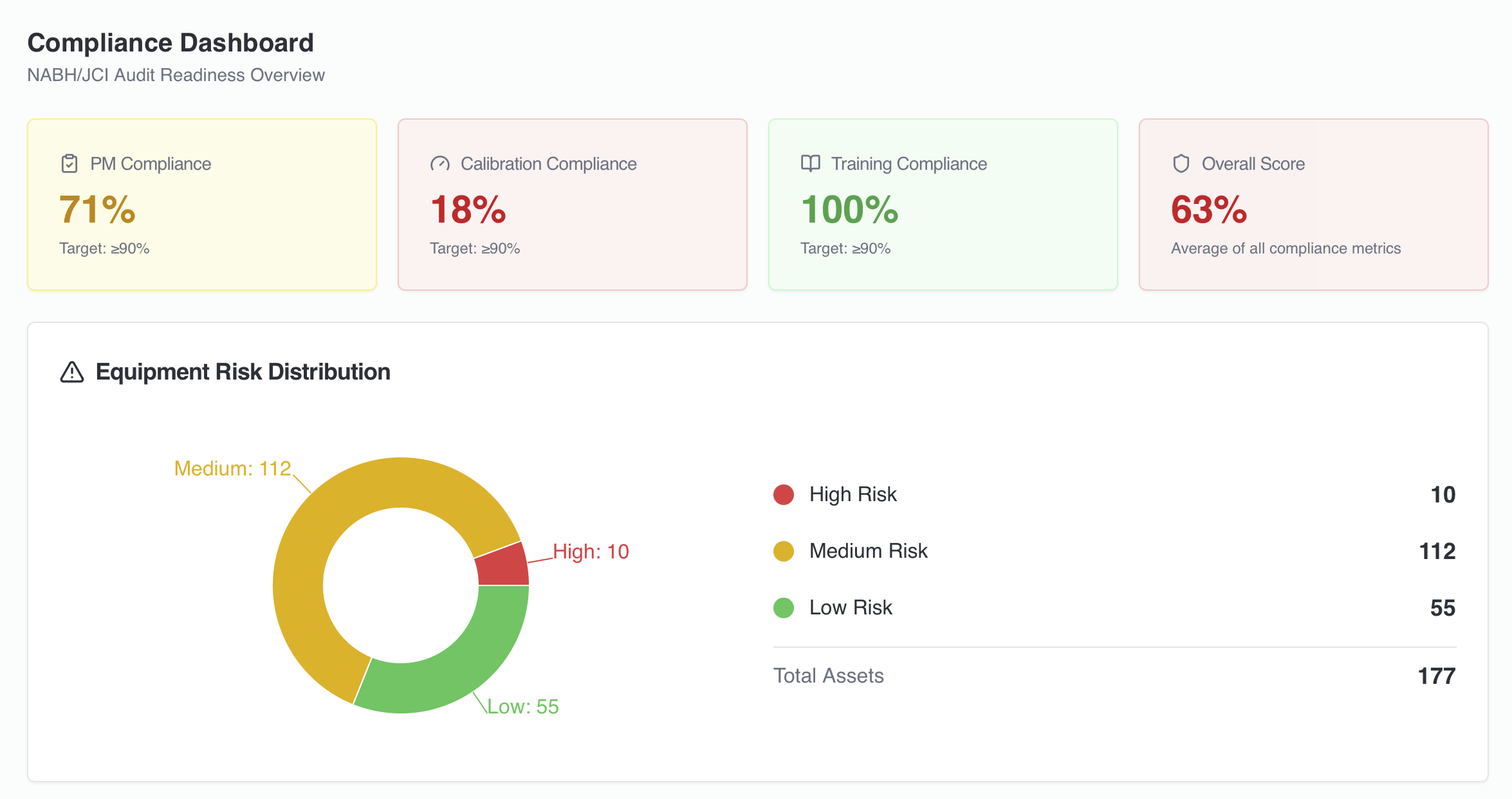
EaseAsset maps directly to NABH FMS standards — PM scheduling, calibration records, equipment inventory and training documentation. When assessors arrive, your FMS evidence is already organised, timestamped and accessible. No last-minute scramble.
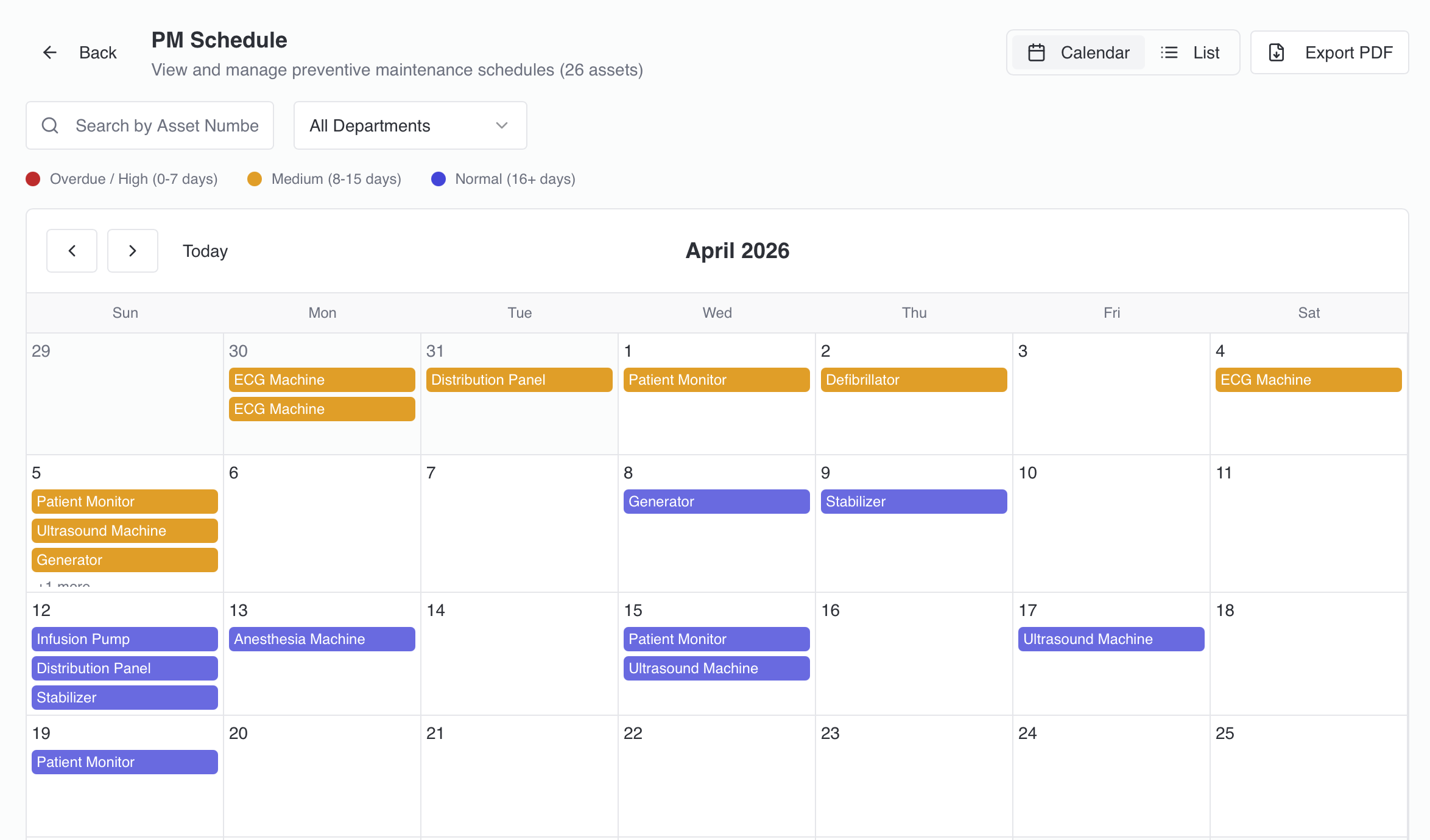
Schedule preventive maintenance, track service history, and manage AMC and vendor contracts from a single dashboard. Automated WhatsApp alerts reach your biomedical team before equipment failures occur — so life-saving equipment is operational when patients need it.
Every part of EaseAsset hangs off the code on the machine. That is what makes the register match the building rather than match the last time somebody updated a spreadsheet.
One screen answers the questions a biomedical engineer is asked on the phone: how many, how many are down, what is due this week, what is about to expire.
Our team configures EaseAsset for your hospital — you don't need an IT project to get started.
Our team configures departments, asset categories and user roles — tailored to your hospital.
Upload existing equipment data or let us migrate it from your spreadsheets. We handle it.
Short, practical sessions for biomedical engineers and department heads — most teams are confident in a day.
Start managing assets, scheduling PM, tracking e-waste and generating NABH reports from day one.
"EaseAsset transformed how we manage our surgical equipment. The compliance dashboard alone saved us 50+ hours during our NABH audit."
"The WhatsApp alerts are a game-changer. We're notified before equipment fails — not after. Equipment downtime reduced by 40%."
"Risk classification and life cycle costing helped us make smarter procurement decisions. We saved nearly 15 lakhs on equipment replacement last year."
The Facility Management and Safety chapter (FMS) is one of the most evidence-intensive NABH chapters. EaseAsset addresses over 15 FMS requirements directly — generating audit-ready records as a by-product of daily asset operations.
| NABH Requirement | EaseAsset Feature | Evidence Generated |
|---|---|---|
| FMS.5 — Equipment Preventive Maintenance | PM Scheduler + WhatsApp alerts | Scheduled PM records, completion logs, overdue alerts |
| FMS.6 — Calibration Records | Calibration tracking module | Calibration certificates, schedule history, next-due alerts |
| FMS.8 — Equipment Inventory | QR-based asset registry | Complete equipment list, risk classification, department mapping |
| E-Waste Rules 2022 (180-day) | E-waste countdown + disposal workflow | Disposal certificates, storage duration log, vendor records |
| Breakdown & Service Request Tracking | QR-triggered service requests | Request logs, resolution time, repeat breakdown history |
Manages PM schedules, tracks calibration, handles breakdown requests and maintains the equipment register — from a mobile dashboard without paper registers or spreadsheets.
Monitors e-waste compliance, vendor contracts, and AMC renewals across the facility — with alerts before deadlines, not after penalties.
Uses EaseAsset's FMS reports for NABH accreditation evidence — PM logs, calibration records, equipment inventory — all available instantly for assessor review.
Views the cost-of-ownership dashboard to make informed procurement decisions — knowing which equipment is due for replacement before it fails in a critical moment.
Hospital asset management software tracks biomedical and infrastructure equipment across all departments — recording location, service history, maintenance schedules, and compliance status. EaseAsset uses QR codes to make this tracking instantaneous: any staff member can scan a code to raise a service request, view asset history, or log a breakdown — without using a separate app or login.
Each asset receives a printed QR code affixed to the equipment. Scanning with any smartphone opens the asset's record — full service history, PM schedule, warranty status, and a quick form to raise a service request. The request is automatically routed to the biomedical team on WhatsApp. No app download is needed for staff raising requests — the QR scan opens a mobile web interface.
EaseAsset maps directly to NABH Facility Management and Safety (FMS) standards. It automates PM scheduling (FMS.5), maintains calibration records (FMS.6), keeps the equipment inventory (FMS.8), and manages e-waste disposal compliance. When a NABH assessor requests FMS evidence, the reports are generated in seconds — with complete timestamped records of every maintenance action, service request, and disposal event.
Yes. EaseAsset tracks all hospital equipment — biomedical devices (ventilators, infusion pumps, ECG machines), infrastructure assets (fire panels, HVAC, lifts), and non-clinical assets (office equipment, furniture that requires periodic maintenance). Assets are categorised by type and risk level, with different maintenance schedules appropriate to each category.
Any staff member scans the equipment's QR code and submits a breakdown report — in under 30 seconds, with no app to download. The request is routed to the biomedical team via WhatsApp immediately. The biomedical engineer receives the asset details, last service date, and location — and updates the repair status from their phone. Management sees the breakdown logged and resolved in real time on the dashboard.
They share the same staff, the same phones and the same audit trail, so a hospital can start with one and add the others without a second rollout.
 EaseOps Operations
Rounds, checklists, patient requests and forms — on WhatsApp, logged by voice.
View EaseOps Operations EaseQMS
Incidents, CAPA, drills, quality indicators, SOP control and committee meetings.
View EaseQMSEaseAssetQR-based equipment register, preventive maintenance, calibration and e-waste.
You are hereAccredAIAI gap analysis against current NABH and JCI standards, updated as they change.
View AccredAISee how EaseAsset keeps your equipment tracked, maintained and NABH-ready — without the paperwork.