 EaseQMS
One quality system for a
continuously NABH-ready hospital.
EaseQMS runs quality management as AI-assisted workflows — drills, incident reporting with AI-suggested RCA and CAPA, quality indicators with threshold alerts, SOP control with semantic AI search, and committee meetings — all in one mobile and web platform. The documentation NABH asks for generates itself.


- Built for NABH
- AI-assisted workflows
- Web & Mobile
- 6 Modules
EaseQMS automates hospital quality management — incidents, CAPA, drills, quality indicators, SOP control, and committee meetings. Documentation writes itself from staff actions on WhatsApp. Hospitals stay continuously NABH and JCI ready without pre-assessment scrambles.
An incident book nobody opens is not a safety system.
Reported on the wall. Triaged the same hour.
A QR poster takes a report without a login and without a name if that is what it takes. The severity picks the path, and serious cases cannot close without the analysis and the sign-off.
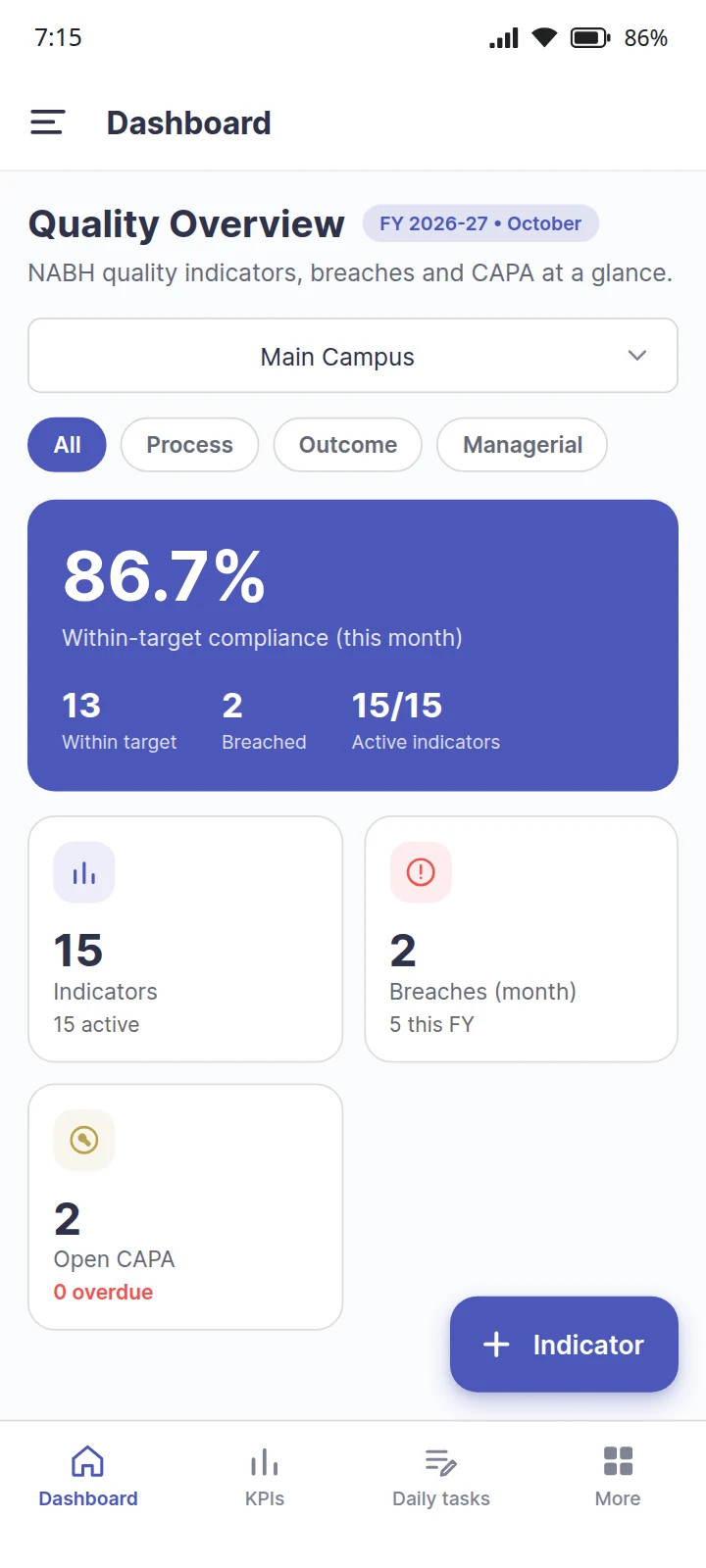
The month’s number is computed, not typed.
Each ward logs its own indicator where the work happens, so the monthly figure builds itself. A breach opens a CAPA instead of waiting to be noticed in a spreadsheet.
What is EaseQMS?
EaseQMS is a hospital Quality Management System built for NABH accreditation. It runs six connected modules — mock drills, quality indicators, committees, incidents and grievances, renewal reminders, and document control — as AI-assisted workflows on web and mobile. Because work is captured as it happens, the evidence NABH assessors expect is always ready, without last-minute assembly.
Six modules, one connected system
What each module actually does, in plain language — and the evidence it leaves behind for your next assessment.
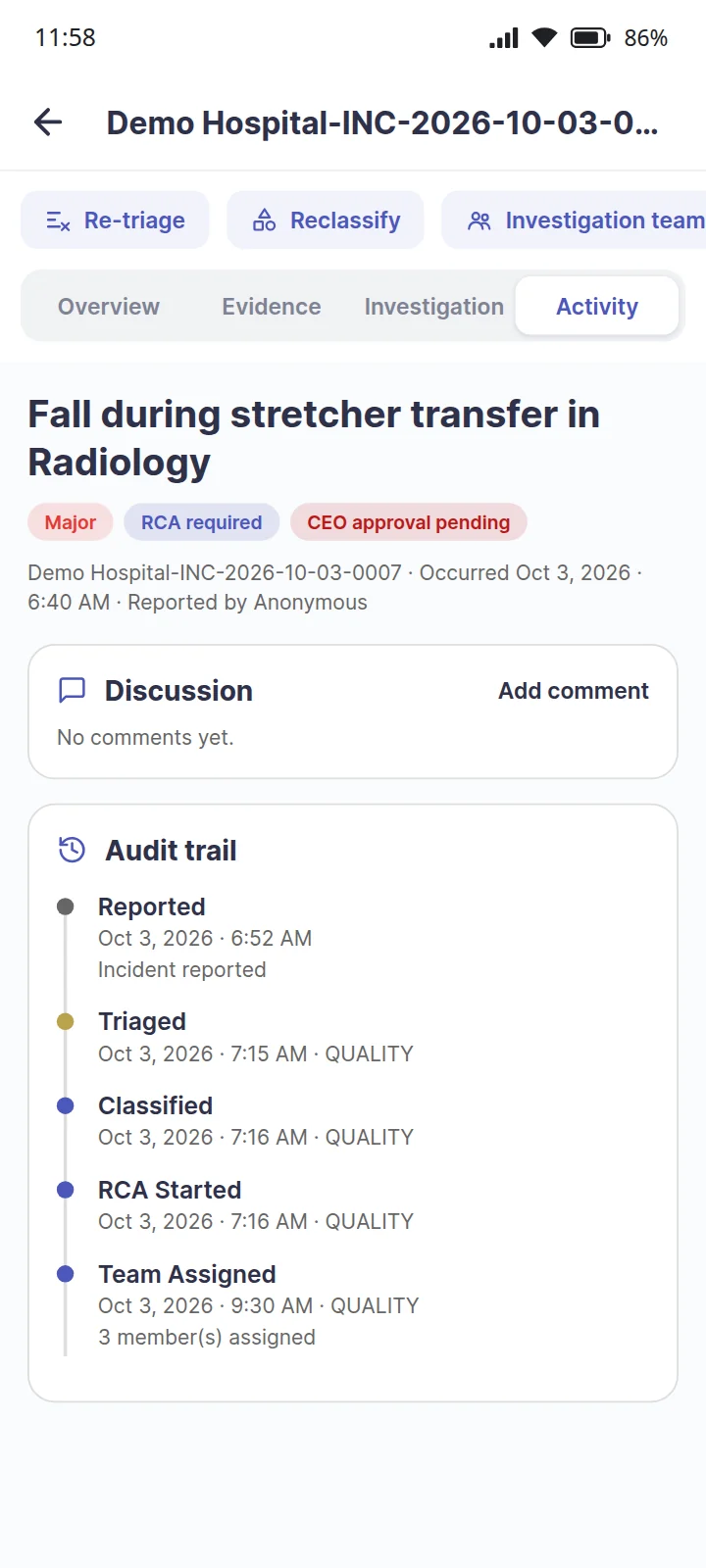
Incident & Grievance Management
Staff scan a QR code on the ward wall to report an incident or a near miss — no login, no password hunt. It reaches the right person and follows a fixed path to closure.
- Report by QR poster, inside the app, or without giving your name
- Severity sets the rules: serious cases require a root cause analysis and CEO sign-off
- Built-in RCA tools — 5 Whys, fishbone, Pareto, PDCA — then CAPA, verification and closure
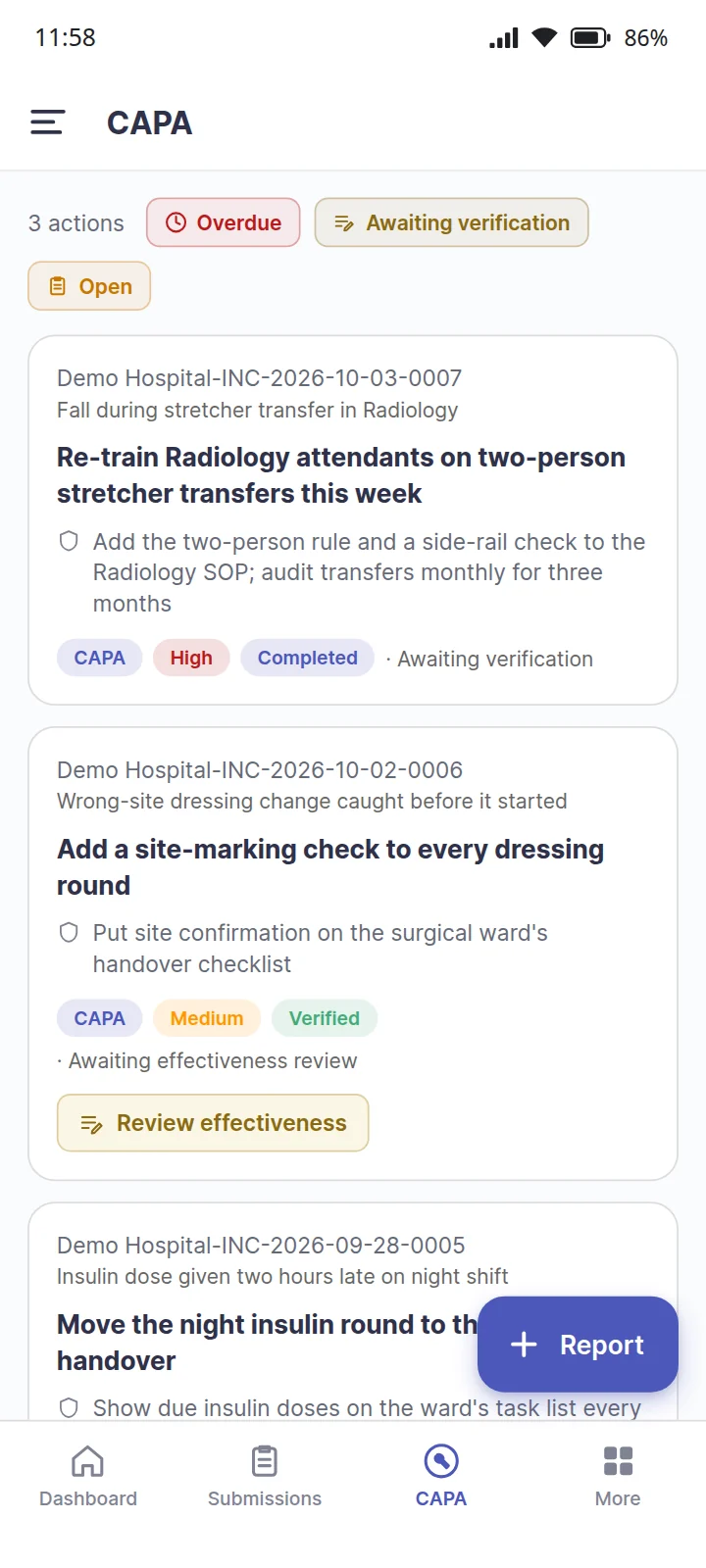
Where CAPA comes inOn a major or sentinel event, no CAPA can be raised until the root cause analysis records a root cause. EaseQMS then drafts corrective and preventive actions from that root cause. Each action is completed, verified as actually carried out, and reviewed for whether it held: effective, partially effective or not effective.
NABH: the patient safety and incident reporting evidence assessors ask for, with the full trail behind each case
Quality Indicators
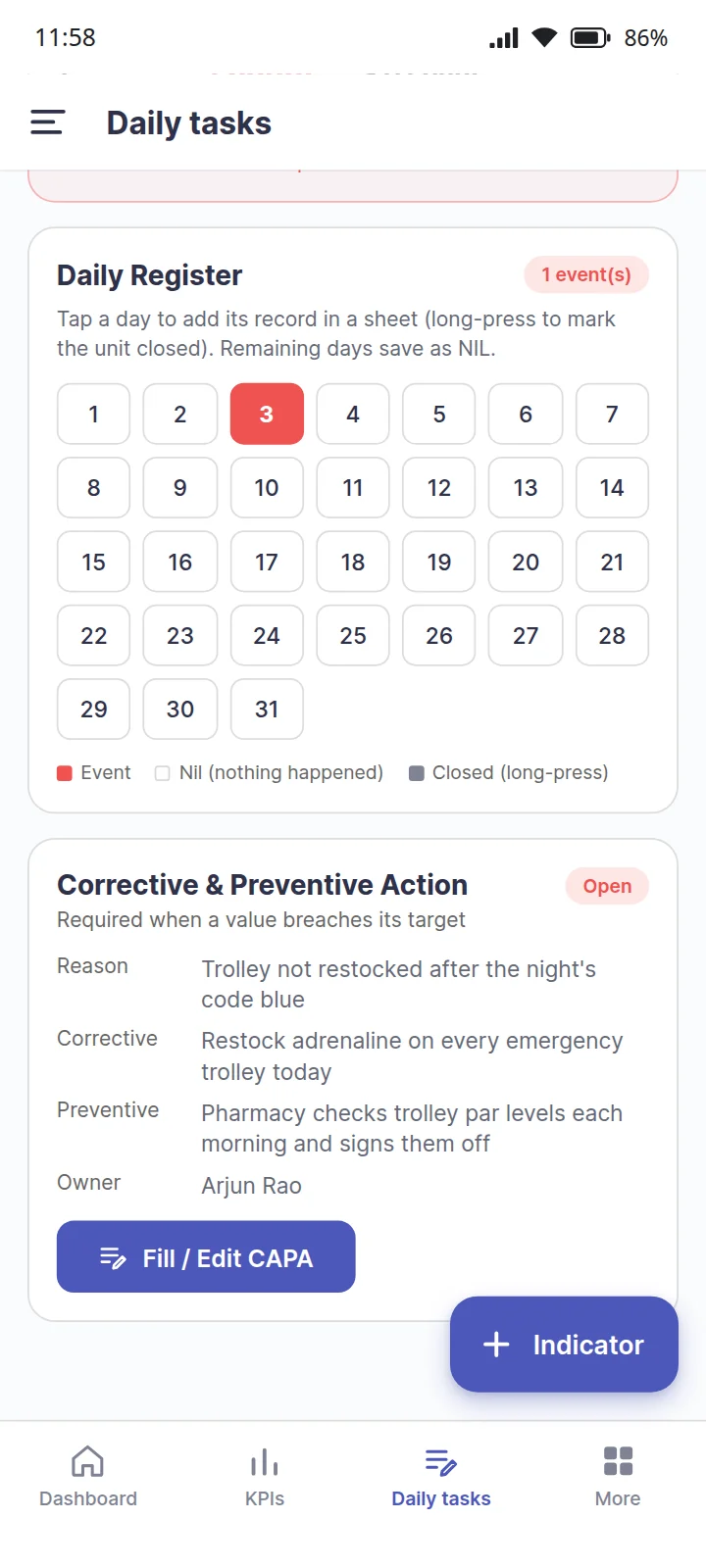
The quality numbers you report every month, collected where the work happens and calculated for you — instead of in a spreadsheet somebody rebuilds each time.
- Ward staff log the day's entry on a phone, by voice if that is quicker
- "Nothing happened today" is recorded as nil — an assessor can tell it from a gap
- The monthly figure, the comparison against target and the trend report build themselves
Where CAPA comes inThe moment a value breaches its target, a CAPA opens against it. The reason for the variation, the corrective and preventive actions and an owner are recorded on the spot, and the CAPA is followed from open to closed with an effectiveness check against it.
NABH: an indicator master sheet for the whole financial year, ready whenever it is asked for
Mock Drill Management
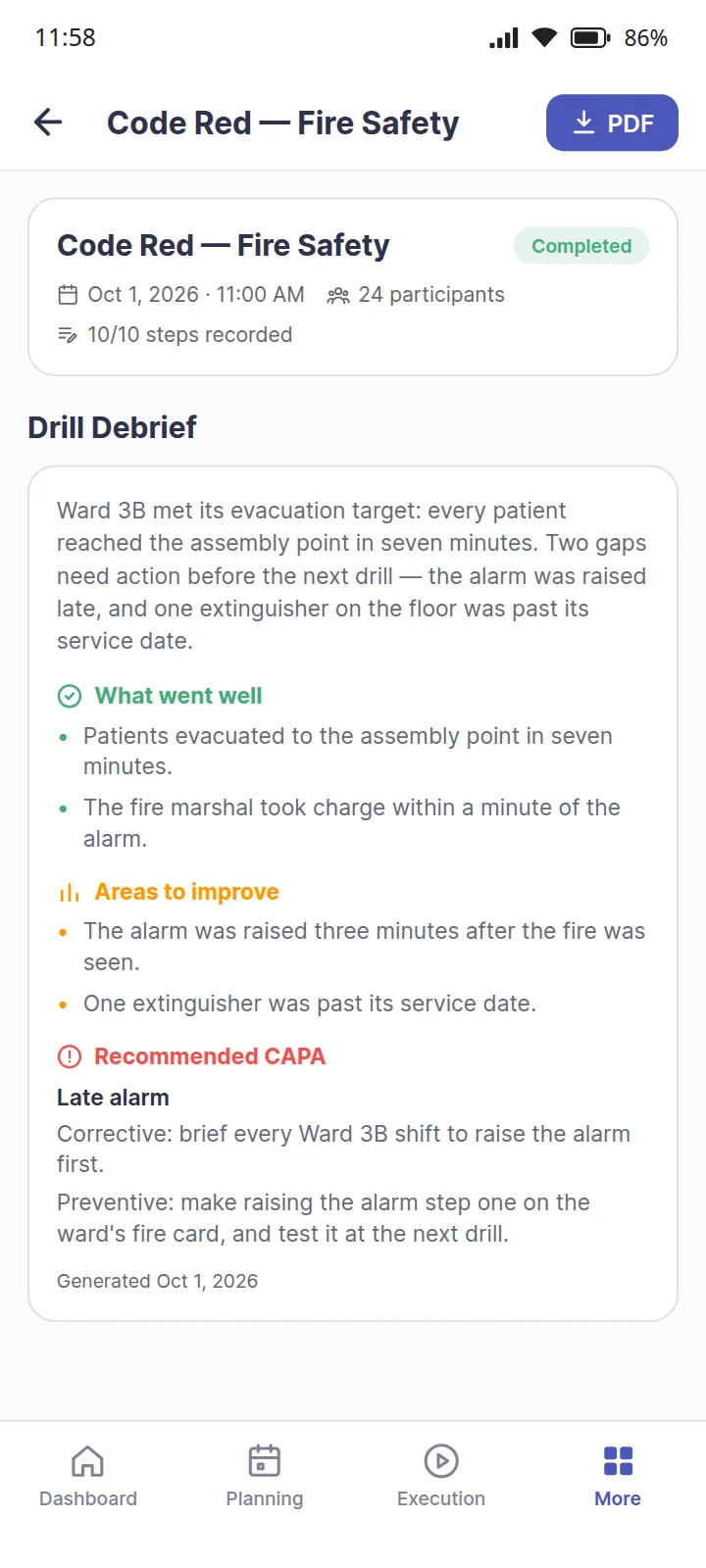
Run a fire drill from your phone. Tick each step as it happens, mark who turned up, take the photo — and the drill record writes itself.
- Ready-made scripts for fire, code blue, evacuation and disaster drills
- Attendance, response times and photos captured during the drill, not after
- Whatever went wrong becomes a task with an owner and a due date
Where CAPA comes inEvery completed drill gets a debrief: what went well, what to improve, and a recommended corrective and preventive action for each gap. The drill's CAPA log keeps every one of them, drill by drill.
NABH: a complete, dated drill register with evidence attached — nothing to reconstruct the week before an assessment
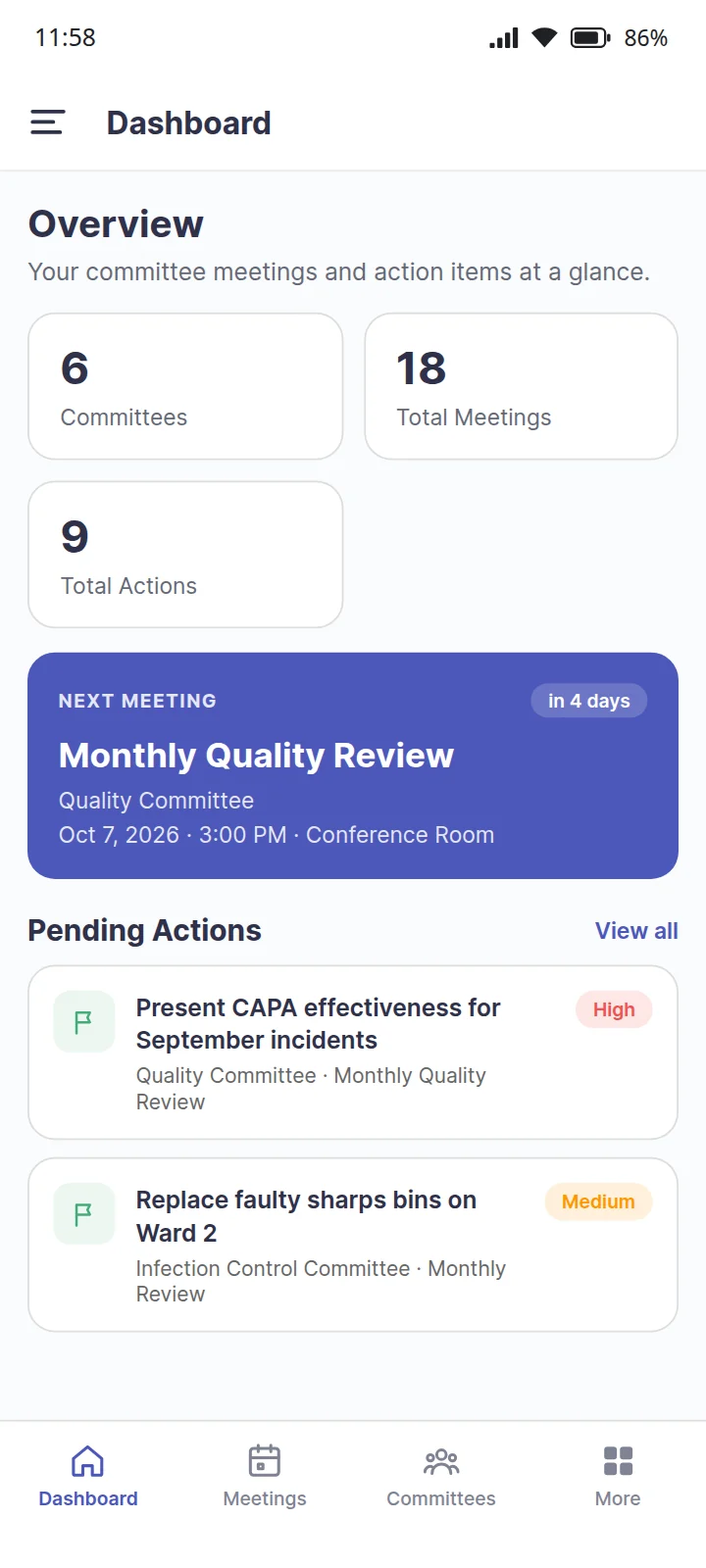
Committee Management
Your quality, infection control and safety committees — scheduled, minuted, and with every action followed until it is actually done.
- Recurring meetings set up once; agendas circulated before the meeting
- Attendance and minutes captured in the room, not written up days later
- Action items carry an owner, a due date and a status you can see across every committee
Where CAPA comes inThe committee is where a CAPA is judged. Whether an action held is usually answered at the next quality committee review, and the committee's own action items are closed only with remarks, and a photo where it helps.
NABH: agendas, minutes, attendance and closed actions for every committee the standard expects
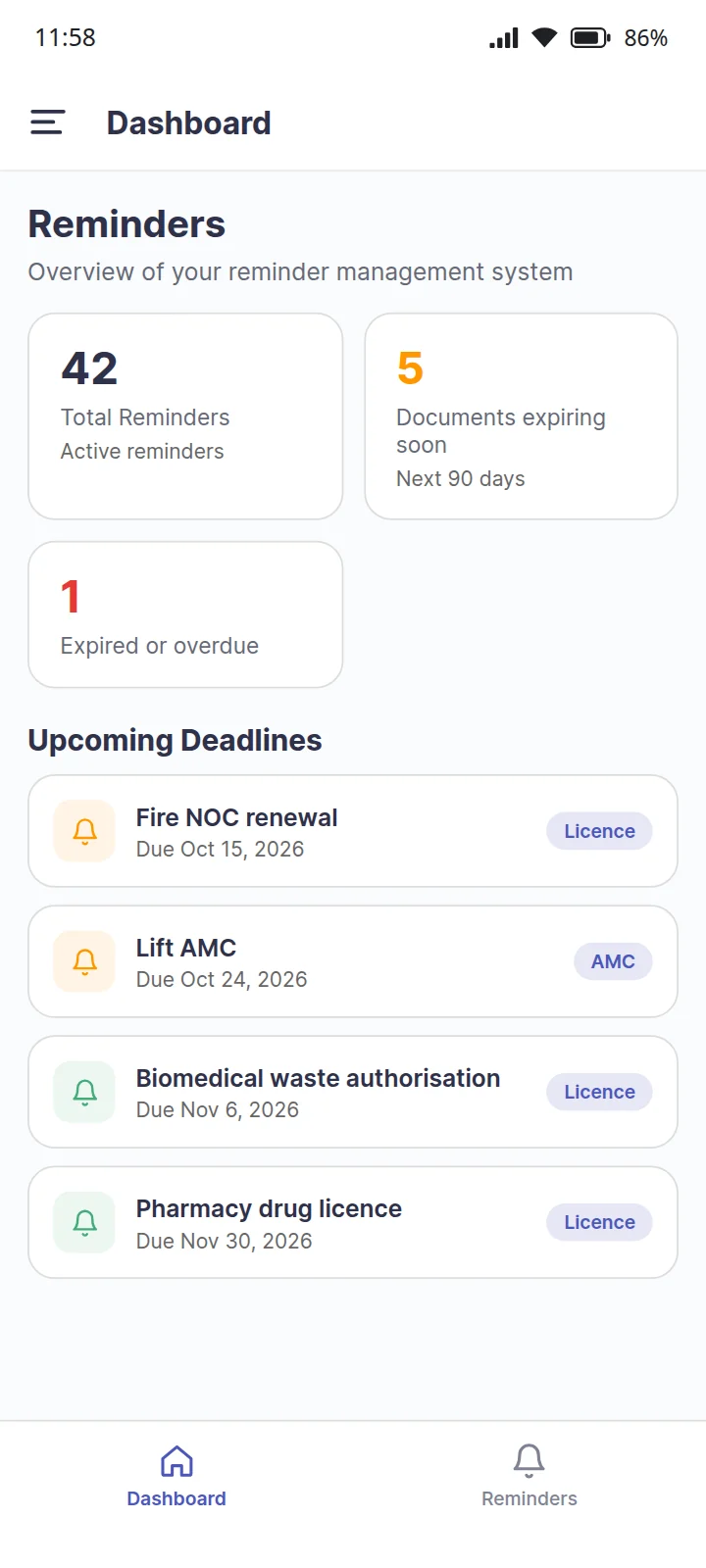
Reminder Management
Nothing expires quietly. Licences, AMCs, calibration certificates, insurance and fire NOCs are tracked with alerts before the date — not discovered after it.
- One list of every renewal date the hospital depends on
- Alerts ahead of expiry, to the people responsible for them
- A record of what was renewed and when, kept per item
NABH: a lapsed licence is an instant non-conformity — this is the module that stops it happening
Document Management
One controlled home for SOPs and policies, so staff always open the current version — and you can show who has read it.
- Version history, with review, approval and publishing before anything goes live
- Find a document by what it means, not the exact words, with Lumen AI search
- Read acknowledgements, access logs and reminders when a document is due for review
NABH: document control satisfied — current versions in circulation, superseded ones retired, acknowledgements on record
Your users, departments, roles, locations and wards are set up once in Configuration and shared across every EaseOps product — so a hospital already using EaseAsset does not re-enter its org chart.
How an incident becomes evidence
The same four moves run behind every module. What makes the record trustworthy is that none of them is a separate documentation step.
- ReportedA QR poster on the ward wall takes the report. No login, and no name if that is what it takes to get it reported at all.
- TriagedThe severity sets the path. Serious cases cannot be closed without a root cause analysis and a sign-off from the people the standard names.
- MeasuredThe ward logs its own indicator where the work happens, so the monthly figure is computed rather than typed.
- CorrectedA breach opens a CAPA with an owner and a due date, and the trail behind it is what an assessor reads.
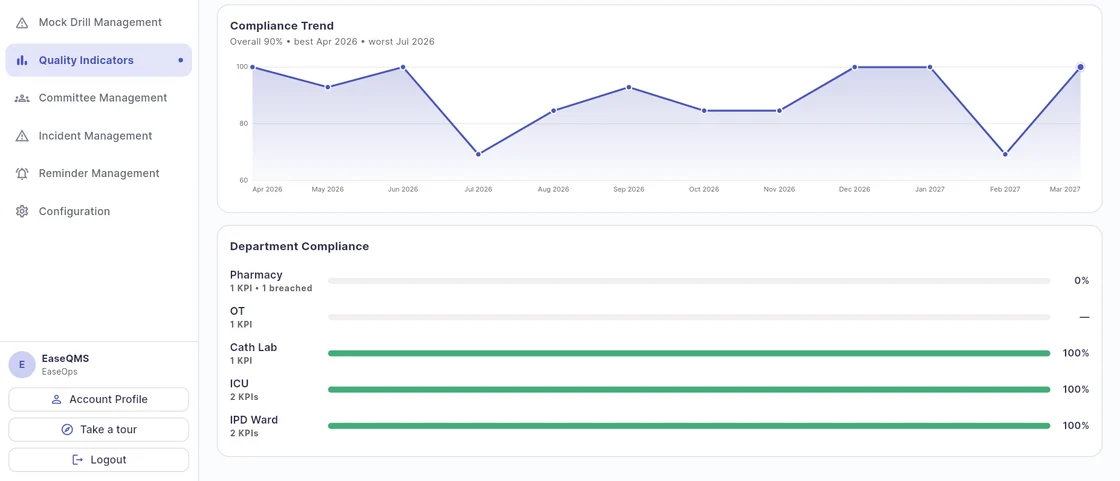
What it looks like to a quality head
Twelve months of compliance, department by department, computed from what each ward logged rather than compiled from what each ward remembered to send.
Stay continuously NABH-ready — not just at audit time
Accreditation is a year-round discipline. EaseQMS builds it into daily work so quality becomes automatic, not a last-minute scramble.
Audit-ready by default
Every meeting, drill, indicator and document leaves a timestamped trail as work happens — not assembled the week before an assessment.
AI does the recording
Voice logging, AI-assisted minutes and smart suggestions reduce the manual work of documentation to near zero.
Clear accountability
Every discussion point becomes a tracked action with a named owner and due date — nothing falls through.
Works where care happens
Run committees, execute drills and capture KPI data from web or mobile — no separate login, no new system to learn.
Questions, answered
What is QMS by EaseOps?
EaseQMS is a Hospital Quality Management System by EaseOps with six connected modules — Mock Drill Management, Quality Indicators, Committee Management, Incident & Grievance Management, Reminder Management, and Document Management — purpose-built for NABH accreditation. AI is built into each module: voice-assisted minutes, AI-suggested CAPA, threshold alerts, and semantic SOP search.
Does it help with NABH accreditation?
Yes. Every module generates the evidence NABH assessors expect — meeting minutes, drill records, KPI trend reports, and controlled documents — continuously, not just at audit time.
Which modules are included?
Six modules: Mock Drill Management for emergency drills, Quality Indicators for monthly KPI tracking, Committee Management for meetings and action items, Incident & Grievance Management for incident reporting and RCA, Reminder Management for licence and AMC renewals, and Document Management for SOP control. All six are included and work together as one system.
Is it available on mobile and web?
Yes. QMS by EaseOps works on web browsers and on Android and iOS mobile apps, so your team can run committees, execute drills, and capture quality data from anywhere.
How do we get started?
Request a demo via the button on this page or WhatsApp us at +91-9993-278-227. Our team will walk you through the platform with your hospital's actual workflows — drills, indicators, committees, incidents, renewals and documents.
Which NABH and JCI chapters EaseQMS covers
EaseQMS addresses the quality management chapters that NABH assessors focus on most heavily. Each module generates specific evidence types expected under the standard.
| NABH Chapter | Module | Evidence Generated |
|---|---|---|
| Quality Management System (QMS) | Committee Mgmt + Quality Indicators | Meeting minutes, action closure, quality indicator trends |
| Patient Safety (PS) | Incident Mgmt + Mock Drills | Incident reports, RCA and CAPA records, drill scores |
| Hospital Infection Control (HIC) | Committee Mgmt + Quality Indicators | HICC meeting minutes, infection KPI trends, CAPA tracking |
| Facility Management & Safety (FMS) | Mock Drills | Fire safety, Code Blue & Evacuation drill records, response times |
| Document Control | Document Management | Version history, approval workflow logs, staff acknowledgements |
| Quality Improvement (QI) | Quality Indicators | Indicator trend reports, threshold breach logs, improvement evidence |
| Statutory licences, AMCs & calibration | Reminder Management | Renewal dates, advance expiry alerts, per-item renewal history |
Before EaseQMS vs after EaseQMS
Before — Manual Quality Management
- Committee minutes written manually after meetings, often incomplete
- Drill records kept in registers, hard to retrieve for assessors
- KPIs compiled from department spreadsheets — weeks of work per quarter
- SOPs circulated via email, no tracking of who read what
- Pre-assessment scramble every 3 years to assemble evidence
After — EaseQMS Automated
- AI-assisted minutes generated during meeting, distributed automatically
- Drill records timestamped digitally, searchable and audit-ready instantly
- KPI dashboards update automatically as departments submit data monthly
- SOPs tracked through approval → publish → read acknowledgement workflow
- Evidence trail built daily — assessor can arrive any day
Who uses EaseQMS in a hospital
EaseQMS is built for hospitals where quality management needs to happen continuously — not just in the weeks before an assessment. It's used by the people who carry the compliance burden daily.
Quality Manager (QMO)
Runs all committees, monitors KPIs, manages the SOP library, and tracks CAPA closure — all from one system instead of switching between registers, spreadsheets and email.
Medical Superintendent / CMO
Gets a live NABH readiness score and quality indicator dashboard without waiting for monthly reports — can identify problem areas and intervene before they become audit findings.
NABH Coordinator
Uses AccredAI's gap analysis to track chapter-by-chapter readiness and manage corrective actions — replaces the manual checklist review that consumes weeks before every assessment cycle.
Nursing Head / Department Heads
Submits KPI data monthly, participates in drills with timed checklists, acknowledges SOPs on mobile — without needing a desktop login or training week to get started.
What hospitals see after going live on EaseQMS
Four products, one platform
They share the same staff, the same phones and the same audit trail, so a hospital can start with one and add the others without a second rollout.
 EaseOps Operations
Rounds, checklists, patient requests and forms — on WhatsApp, logged by voice.
View EaseOps OperationsEaseQMSIncidents, CAPA, drills, quality indicators, SOP control and committee meetings.
You are here EaseAsset
QR-based equipment register, preventive maintenance, calibration and e-waste.
View EaseAssetAccredAIAI gap analysis against current NABH and JCI standards, updated as they change.
View AccredAISee EaseQMS with your hospital's quality workflows
Book a walkthrough and we'll show how AI-assisted committees, drills, KPIs and document control keep your hospital continuously NABH-ready.